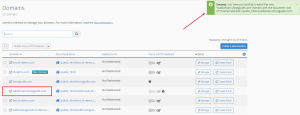
How to create a subdomain in cPanel – New Jupiter Theme
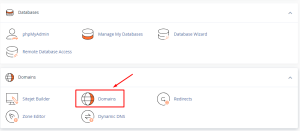
1. Login to your cPanel and click on Domains.
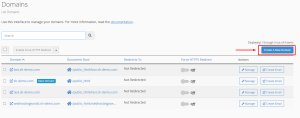
2. Click on the Create a New Domain button. This takes you to the “Create a New Domain” page.
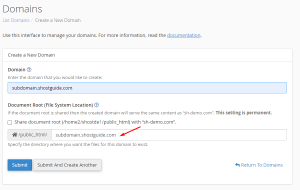
3. Type/copy and paste your preferred name for the subdomain followed by a dot “.“, then type the domain name (Example: subdomain.shostguide.com).
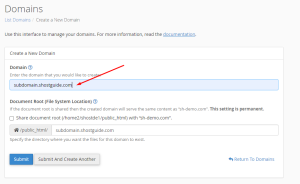
4. Change or leave the name of the folder created for the subdomain in the public_html directory.
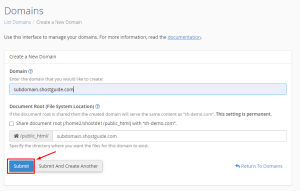
5. Click on Submit.
6. Done.