WordPress 404 Error Pages Are Not Loading? How to Fix.
If your WordPress homepage loads, but all other pages return a 404 Not Found error, you’re not alone. This common issue usually happens due to incorrect permalink settings or missing rewrite rules.
In this guide, we’ll walk you through how to fix the WordPress 404 error when other pages are not loading — step by step.
Why Am I Seeing 404 Errors on My WordPress Pages?
This usually happens because of a problem with your site’s permalink settings or server rewrite rules. In most cases, it can be fixed directly from your WordPress dashboard without needing any technical skills.
-
Step 1: Reset WordPress Permalinks (Most Common Fix)
The easiest fix is to reset your permalink structure inside your WordPress dashboard. Here’s how:
- Login to your WordPress dashboard Go to:yourdomain.com/wp-admin or log into your wordpress throught softaculous in the cPanel.
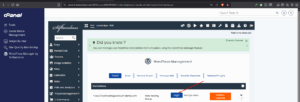
Log into your wordpress dashboard - In the left menu, click on:Settings > Permalinks You’ll see options like:Plain, Day and name, Post name (recommended)

Click on permalinks - Select your preferred option. Post name (recommended) o(r keep the one already selected) and then click: “Save Changes”
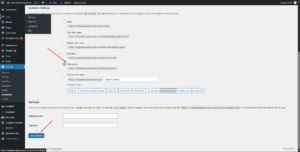
This refreshes the permalink rules behind the scenes and usually fixes the 404 errors.Now go back and test any of your other pages or blog posts. They should be working now.
StormerHost Ghana Support Is Here to Help
Still seeing the WordPress 404 error on pages?
As your hosting provider, we’re happy to assist. We can:
Check server rewrite modules
Fix .htaccess issues
Contact Us:
🔗 Submit a support ticket
📞 Call us: +03 0230 6099 / +233 24 446 0580
💬 Live chat available in your client area Or visit our Knowledge Base
