KB
Videos
F.A.Qs
Free SEO Tools
HOSTING
WEB DESIGN
Client Area
Steps to Enable Greylisting on cPanel
Step 1: Log in to cPanel
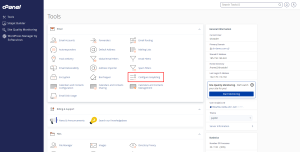
Step 2: Access Greylisting
Once in cPanel, scroll down to the
Email
section.
Click on
Configure Greylisting
.
Greylisting 1
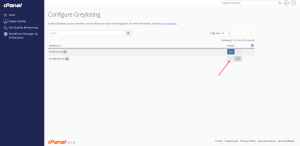
Step 3: Enable Greylisting
In the
Configure Greylisting
interface, locate the
Greylisting Status
.
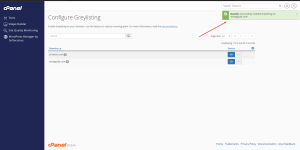
Toggle the status to
On
.
Greylisting 2
Greylisting 3
Related Articles:
What is Greylisting?
How to Restore Emails Using JetBackup on cPanel
How to Enable or Change PHP Extensions in cPanel
How to enable/configure remote MySQL access in cPanel
Step-by-Step Guide to Clone a GitHub Repo in cPanel
Share This Article
Leave a Comment
Cancel reply
Δ
Recent Comments
Categories
No categories
imunify-bot-check
Order Services