




cPanel
How to login to your cPanel from the Client-Area
Video Guide:
Step by step guide with pictures:
1. Login to your Client-Area

2. Click on SERVICES
3. Select the PRODUCT/SERVICE whose cPanel you want to access – Click Manage Product.
4. Click on Login to cPanel.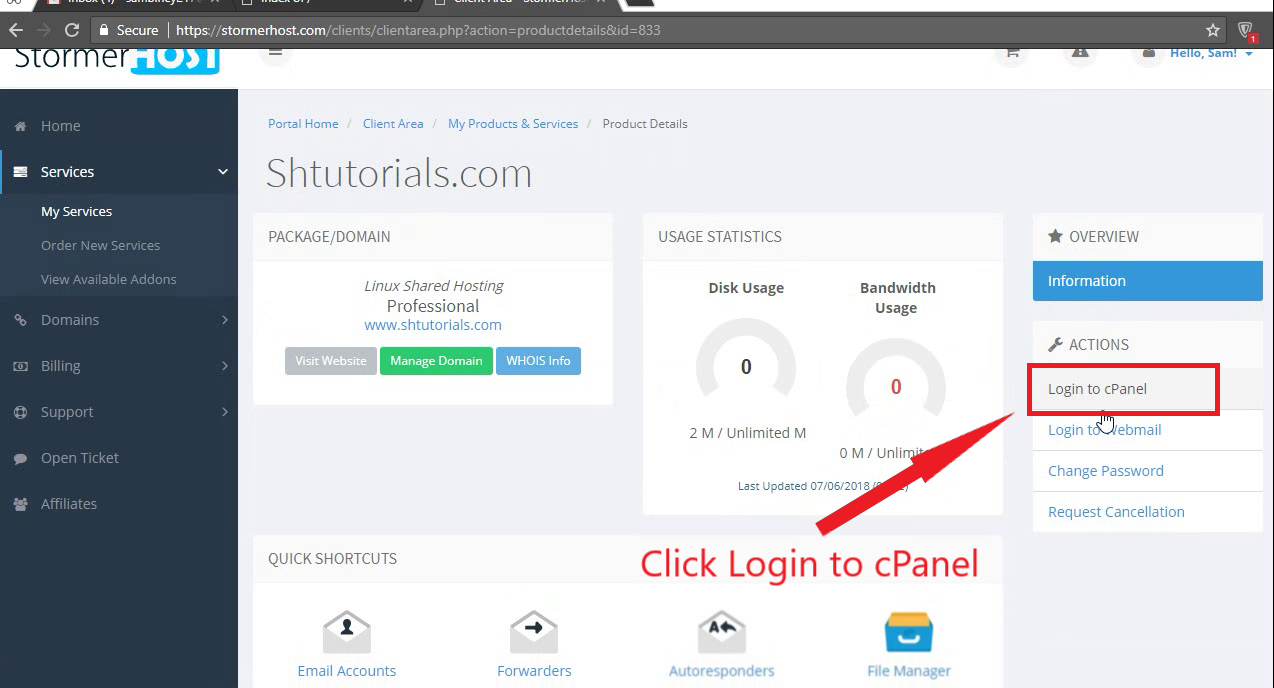
5. Done 🙂
